Overflow and views
Only views scroll. Every box defaults to lay_overflow_visible, which is enum value 0. A visible box neither scrolls nor clips, but it holds its children: none of them ever lands outside its content box. No box grows a scroll bar unless it asks for one.

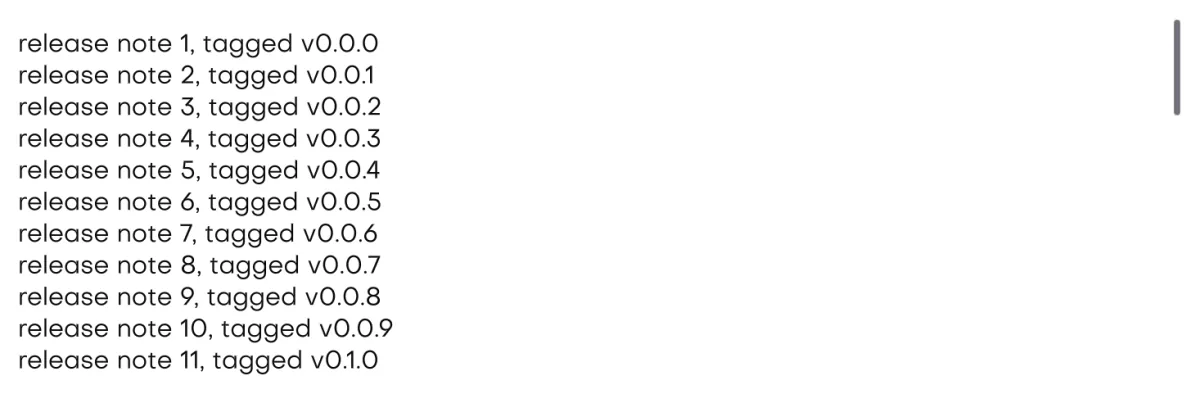
In the galleryScroll Areascroll_area
ui::view()
ui::view() is the only element that scrolls. It is a column with overflow(lay_overflow_auto, lay_overflow_auto): it clips, and it brings up a bar on an axis only when its content does not fit on that axis. Widgets never get bars. A long form or a log goes inside a view, and the view scrolls as one.
- The app shell's body is a view, so a whole page scrolls with no extra code. See the app shell.
ui::list_beginandui::list_endbracket a virtual view that only declares the rows on screen. See virtual lists.- Because a view only contributes its own floor to its parent's minimum height, a view nested in a column shrinks and scrolls. The page does not grow. See sizing.
ui::view() it clips and brings up a bar once the rows do not fit. As a plain ui::col() it never shrinks below its content, so the page grows past the window instead. The dashed line is the window edge.The overflow values
| Value | Clips | Bar |
|---|---|---|
lay_overflow_visible (0, default) | No, its children are held inside | Never. |
lay_overflow_auto | When it overflows | Only while the content does not fit. |
lay_overflow_scroll | When it overflows | Always, even when the content fits. |
lay_overflow_hidden | When it overflows | Never, and what does not fit cannot be reached. |
A plain box, or raw lay_* code, opts in by naming an overflow: .overflow(lay_overflow_auto, lay_overflow_auto) behaves like a view, and lay_overflow_scroll keeps the bar up. The two axes are independent, so a chip row can scroll sideways while it holds its chips vertically. clips() clips without scrolling, but the box keeps its visible minimum and never shrinks for it. To clip and let a nested box shrink, use overflow(lay_overflow_hidden, lay_overflow_hidden).
#include "isolenui/ui/ui.h"
#include "isolenui/kit/kit.h"
// only a view scrolls, it is a column that clips and brings up a bar when
// its content does not fit, every other box lets content spill out
static void log_panel(ui::ctx* u, const char* const* lines, uint32_t count)
{
ui::key(u, "log");
ui_box(u, ui::view().height(240.0f).pad(8.0f).bg(0xff111111u))
{
for (uint32_t i = 0; i < count; ++i) {
ui::key(u, uint64_t(i));
ui::text(u, lines[i], ui::mono(u));
}
}
}
// a settings page, the header and footer keep their height and the view in
// between takes the rest, it shrinks and scrolls rather than growing the page
static void settings_page(ui::ctx* u, bool* flags, uint32_t flag_count)
{
ui_box(u, ui::col().grow().gap(12.0f))
{
ui::text(u, "settings", ui::head(u));
ui_box(u, ui::view().grow().gap(4.0f))
{
for (uint32_t i = 0; i < flag_count; ++i) {
ui::key(u, uint64_t(i));
ui::checkbox(u, "option", &flags[i]);
}
}
ui_box(u, ui::row().justify(lay_align_end)) { ui::button_accent(u, "save"); }
}
}
// a plain box opts in by naming an overflow, scroll keeps the bar up even
// when the content fits, hidden clips with no bar and no way to reach the rest
static void explicit_overflow(ui::ctx* u)
{
ui_box(u, ui::row()
.width(lay_grow(1.0f))
.height(64.0f)
.overflow(lay_overflow_auto, lay_overflow_visible))
{
for (uint32_t i = 0; i < 24; ++i) {
ui::key(u, uint64_t(i));
ui::badge(u, "tag", 0xffe5648au);
}
}
ui_box(u, ui::col().height(120.0f).overflow(lay_overflow_visible, lay_overflow_scroll))
{
ui::text(u, "short content, the bar still shows", ui::caption(u));
}
ui_box(u, ui::col().height(48.0f).overflow(lay_overflow_hidden, lay_overflow_hidden))
{
ui::text(u, "a caption that may run well past the box", ui::caption(u));
}
}
// the bar defaults per platform, a thinner overlay bar on macos and a gutter
// bar on windows, a view can take its own
static void wide_bar_view(ui::ctx* u)
{
lay_bar_style bar = lay_bar_default();
bar.width = 16.0f;
bar.min_thumb = 32.0f;
bar.overlay = false;
ui_box(u, ui::view().height(200.0f).scrollbar(bar))
{
for (uint32_t i = 0; i < 64; ++i) {
ui::key(u, uint64_t(i));
ui::textf(u, ui::body(u), "row %u", i);
}
}
}Scroll bars by platform
lay_bar_default() differs per platform. Both use a 24 unit minimum thumb.
- macOS uses an 11 unit overlay bar drawn over the content. It takes no room, so the content width never changes when it appears.
- Windows uses a 14 unit gutter bar that takes its width out of the content box.
In a right to left box the vertical bar and its gutter sit on the left, and the x offset grows toward the left. lay_scroll_info::mirrored says so. See direction and bidi.
A gutter causes a feedback loop. The bar narrows the content, the content wraps onto more lines and gets taller, and that height decides whether the bar is needed. The solver reruns the passes until the bars hold still, and within a solve a gutter never leaves once it has come. If a layout would still oscillate, the gutter stays on, so the page never flickers between two layouts. Pass your own lay_bar_style to scrollbar() for a different width, minimum thumb or mode.
lay_scroll_x_info and lay_scroll_y_info return them with the content extent, the view extent, the offset and the maximum offset. With the element api, the widget layer draws them and wheel input moves the view under the pointer.Containment
On an axis where a box stays lay_overflow_visible and pins no scroll offset, its content box is a hard wall. The solver fits the flow children inside it in this order:
- A run of gaps wider than the box is cut first, so the gaps alone never pass it.
- Items shrink in proportion until they fit, px sizes and minimums included. The parent bound wins.
- Wrapped lines and grid tracks shrink the same way, and a cell never outgrows its track.
- A child still past an edge is moved back inside. A shift is applied on top of that held place.
- Floating boxes are never held.
- An axis that scrolls or clips through an overflow value, or pins an offset, keeps its content whole so it can be scrolled to.
- The window root is not held. Content wider or taller than the window is cut at the window edge instead of squeezed.
- On a held axis
lay_scroll_x_infoandlay_scroll_y_inforeport incontentthe extent the children wanted, at least their minimums, whilemax_offsetstays 0. Compare it withviewto see a cut. - Debug builds log each held node once at trace level, with the size it got and the px or minimum it asked for.
Surfaced boxes
A ui box with a visible surface is a wall for painting too: a look, a fill with any alpha, or a stroke with a width. Its flow children are clipped to the box. Floating boxes and portals still reach past it, and its focus ring is drawn outside it. In raw layout this is lay_style::wall, which clips the flow children only, while clip clips everything inside.
The wheel
Each wheel axis goes to the innermost view under the pointer that has a bar on that axis. A view that only scrolls down lets sideways input pass to a wider view around it, and the other way round. So a view with lay_overflow_auto on x scrolls sideways from a trackpad swipe, a tilt wheel, or Shift with the wheel on Windows. An element with take_wheel stops the search. While the page is pinch zoomed, the wheel pans the zoomed page first and only what is left reaches the views. In right to left the x offset is mirrored, so the wheel turns the other way. See keyboard and input for where wheel_x comes from.
Scrolling from code
Offsets are kept per element in double precision, so a long list never loses them to float rounding. Name the view with ui::key and take its id with ui::next_id before you open it.
scroll_to(u, id, x, y, animated)moves a view or list. An axis below zero stays where it is. Animated eases there, and any wheel or bar drag on that axis takes over. An id with no element logs a warning and does nothing.scroll_of(u, id)returns ascroll_posas the last frame solved it:x,y,max_x,max_y, the targetto_xandto_y, andmovingwhile an animated scroll is under way.snap(u, step_x, step_y)on the scrolling element just declared makes a wheel notch move one step, and a trackpad or bar drag settle on the nearest step. Zero leaves an axis free.bar_look(u, look)skins that element's bars: the track takes the look's fill and the thumb its ink. The look must outlive the frame.take_wheel(u)keeps the wheel for the element just declared. No view behind it scrolls, and it readsinput::wheel_xandwheel_yitself, as a zoomable canvas would.take_pinch(u)does the same for a trackpad pinch. A pinch that starts over the element or inside it does not zoom the page, and the element readsinput::pinch. See pinch zoom.
#include "isolenui/ui/ui.h"
#include "isolenui/kit/kit.h"
// a log that follows its tail until the reader scrolls up, and a jump to top
static void log_view(ui::ctx* u, const char* const* lines, uint32_t count, bool* follow)
{
ui::key(u, "log");
const uint64_t id = ui::next_id(u);
ui_box(u, ui::view().height(240.0f).pad(8.0f))
{
for (uint32_t i = 0; i < count; ++i) {
ui::key(u, uint64_t(i));
ui::text(u, lines[i], ui::mono(u));
}
}
// offsets and limits as the last frame solved them
const ui::scroll_pos p = ui::scroll_of(u, id);
*follow = p.max_y - p.y < 4.0;
if (*follow) {
// a below zero axis stays where it is
ui::scroll_to(u, id, -1.0, p.max_y, false);
}
if (ui::button(u, "top")) {
ui::scroll_to(u, id, -1.0, 0.0, true);
}
}
// cards that settle one at a time
static void carousel(ui::ctx* u, uint32_t cards)
{
ui::key(u, "cards");
ui_box(u, ui::row().height(180.0f).overflow(lay_overflow_auto, lay_overflow_hidden))
{
// the box just declared, a notch moves one card
ui::snap(u, 320.0f, 0.0f);
for (uint32_t i = 0; i < cards; ++i) {
ui::key(u, uint64_t(i));
ui_box(u, ui::col().width(320.0f).pad(16.0f))
{
ui::textf(u, ui::head(u), "card %u", i + 1u);
}
}
}
}snap and bar_look share a small per frame table of views. Past its size, later views stay plain and a warning is logged.