Lottie
ui::lottie plays a Lottie animation from isolenui/kit/charts.h. It runs on the same animation runtime as ui::gif. The player is capri, the engine's own, which parses the JSON once and draws every frame through the elba vector engine.
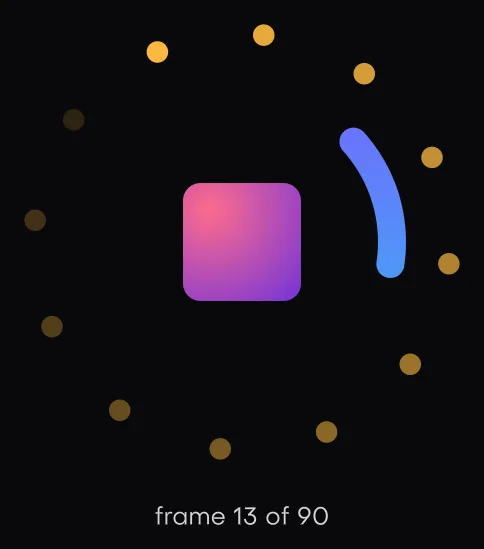
In the galleryLottielottie
Playing a Lottie
anim_open(dev, bytes, n, &desc)recognises a JSON object with"layers"and"op"and opens it with capri.lottie(u, label, src, play, style)declares the box and returns the frame shown. The label keys its clock.anim_close(dev, src)frees the textures and the player.
The calls, the anim_play options and the cache modes are the ones the GIF page describes. What differs for a Lottie:
- Size. A Lottie is a vector, so
anim_descwidthandheightpick the raster it plays at. Zero takes the composition size. Set them to the box size times the display scale for sharp edges. - Frames. One frame per composition frame, from
ipup toop, each held for 1000 over the frame rate in ms. A file with no frame rate plays at 30. - Loops.
anim_info::loopsis zero, so it loops forever unlessrepeatsays otherwise.vectoris true. - The bytes must outlive the source, as for a GIF.
#include "isolenui/app/app.h"
#include "isolenui/ui/ui.h"
#include "isolenui/kit/kit.h"
// a lottie is a vector, so the desc size picks the raster it plays at
struct badge_anim {
const uint8_t* json;
size_t size;
ui::anim_src* src;
float scrub;
};
static bool badge_open(isolen_app* a, badge_anim* b)
{
ui::anim_desc d = {};
d.cache = ui::anim_stream;
d.width = 192u;
d.height = 192u;
b->src = ui::anim_open(isolen_device(a), b->json, b->size, &d);
b->scrub = -1.0f;
return b->src != nullptr;
}
static void badge_show(ui::ctx* u, badge_anim* b)
{
ui::anim_play p = ui::anim_play_of();
p.seek = b->scrub;
ui::lottie(u, "badge", b->src, p, ui::row().width(96.0f).height(96.0f));
ui::slider(u, "scrub", &b->scrub, 0.0f, 1.0f, "%.2f");
}
static void badge_close(isolen_app* a, badge_anim* b)
{
ui::anim_close(isolen_device(a), b->src);
b->src = nullptr;
}How frames are drawn
capri rasterises on the CPU, on the gfx worker pool, whatever the backend. The texture the backend draws is then filled the way the cache mode says:
- A frame that changes nothing costs a seek and no raster, and nothing is uploaded.
- A frame that changes part of the picture repaints only the box its draw touched, with a pixel of margin, and a streamed source uploads only that rectangle.
- Prerender draws every frame once at open. Identical frames share one image, but most animations have more than 64 distinct frames, and then it streams instead and logs it.
- Minimal on the CPU backend draws straight into the canvas the backend shows.
anim_autopicks it there, and prerender on a GPU.
What capri plays
| Part | Support |
|---|---|
| Layers | Shape, precomp, solid, image, null and text layers, with parenting, time stretch and remapping. Audio layers are ignored. |
| Shapes | Rectangles, ellipses, stars and polygons, paths, fills, strokes with dashes, and gradient fills and strokes. |
| Modifiers | Trim paths, rounded corners, repeaters, offset paths, pucker and bloat, zig zag, and merge paths. A merge runs as a real path boolean through elba, and a trim or other modifier below it works on the merged outline, as authored. |
| Masks and mattes | Masks in add, subtract, intersect, lighten, darken and difference modes, inverted masks, and track mattes. |
| Text | Text drawn from the glyph outlines the file embeds, or from glyphs lent by the app font when it embeds none, text animators with their selectors, and text on a path. |
| Images | PNG or JPEG embedded as base64. The kit opens files with no folder, so images stored beside the JSON are skipped. |
| Blending and effects | Every blend mode but hard mix, and the fill effect. |
What it leaves out
Each of these logs a warning once and is counted in capri::info::unsupported, so a file can be checked before it ships:
- The twist modifier.
- Hard mix blending. The layer blends as normal.
- Text animator hue, saturation, brightness and 3D rotation.
- A custom layer effect that draws, such as a bevel, blur or transform. Custom effects that only hold expression controls or rig pseudo effects are skipped quietly.
Other layer effect types are left out with one warning and set info::effects. Expressions are not run: their keyframed values play instead, with a warning, and info::expressions is set. Text that names a font with no embedded glyphs waits for a lent font, below.
Text with no glyphs
Most Lottie files name a font and ship no outlines for it. Such text takes its glyphs from the isolen app font instead, traced once from the font's distance field atlas into outlines that elba fills like any other path.
- At the first show. With
anim_desc::fontleft null, the open logs that the text waits for a font andlottielends it the UI font the first time it is shown, with the theme'sface_uiandface_bold. A source that asked for prerender streams until then and is prerendered once, after the font lands. - At open. A
text_fontinanim_desc::fontis lent straight away, with face 0 as the regular face and face 1 as bold when the font has more than one. - Faces. A style naming bold, black or heavy takes the bold face. The atlas has no italic, so italic and oblique text stays upright, and the log says so once per style. A code point the font lacks is looked up in its fallback font, and one neither has is left out with a warning.
- Pixels. Tracing reads the atlas pixels, so lend before calling
text_font_release_pixels. A font whose pixels are gone leaves the text out with a warning. - Once. The glyphs are traced one time per source, which logs how many and how long it took, and the frames drawn so far are redrawn with them.
A decoder takes part through the optional anim_decoder::lend. Called with a null font it says whether text waits, and with a font it lends it and returns true when drawn frames changed. Lending waits for a decode ahead worker to go quiet first.
Limits
A file past a limit still plays, with the rest dropped and a warning in the log.
| What | Limit |
|---|---|
| Frames | 2 to the 24 |
| Layer instances, counting precomps | 65536 |
| Precomps nested | 24 levels |
| Shape groups nested | 64 levels |
| Shape nodes in one layer | 262144 |
| Points in one path, characters in one text | 65536 |
| Repeater copies | 512 |
| Star points, zig zag ridges | 1000 |
| Gradient stops | 128 |
| Dash entries | 12 |
| Image side, embedded image data | 8192 pixels, 96 MiB |
Malformed JSON keeps what was read before the fault, as long as it holds a layer. A layer that is its own parent through a loop loses its parent.
capri on its own
capri/src/capri.h can be used without the kit or a device, with any elba scene. It is built as part of the lottie component.
load(bytes, n, dir)parses into an immutable model and builds one live instance of every layer.dirresolves images that are not embedded, and null skips them. It returns null for a file with no layers.releasefrees it.info_ofgives the size,fps,inandout,frames, the layer, instance and image counts,unsupported, and whether the file hastext,expressionsoreffects.seek(a, frame)moves to a composition frame and returns false when nothing drawn can have changed since the frame before.draw(a, scene, &view)records the frame into an elba scene, withviewtaking composition units to the target.dirty(a, box)gives the x, y, w and h the last draw changed against the one before, in target space. It is false when nothing changed. On the first draw or after a new view the box covers everything drawn.wants_font(a)is true while some text has no glyphs of its own.lend_font(a, &font)traces the glyphs that text needs, once, and returns true when drawn frames change. Anatlas_fontholds the ascent in em, a user pointer and afindcallback that gets the family and style names the file gives, either of which can be null, and a code point, and fills anatlas_glyph: the RGBA distance field atlas and its size, the glyph's UV with v0 at the top, its box in em with y up, and its advance.stats_ofgives the parse and build times, the model and live bytes, and for the last frame the properties evaluated and changed, shapes and paths built, draws and layers drawn.growscounts heap growth after the first pass over the clip, and is zero once warm.
#include "capri/capri.h"
#include "elba/elba.h"
#include <math.h>
#include <stdint.h>
#include <string.h>
// capri with no device, each frame lands in an rgba buffer and only the
// box that changed is rasterised again
struct offline_render {
capri::anim* a;
elba_context* ctx;
elba_scene* scene;
uint8_t* rgba;
uint32_t w;
uint32_t h;
};
static bool offline_frame(offline_render* o, float frame, bool first)
{
if (!capri::seek(o->a, frame) && !first) {
return false;
}
const capri::info* in = capri::info_of(o->a);
const elba_affine view = elba_scale(float(o->w) / in->width, float(o->h) / in->height);
elba_scene_reset(o->scene);
capri::draw(o->a, o->scene, &view);
elba_render r = elba_render_default();
r.flags |= elba_render_clear;
float box[4];
if (!first && capri::dirty(o->a, box)) {
// a pixel of margin for antialiasing, kept inside the target
const int32_t x0 = int32_t(floorf(box[0])) - 1;
const int32_t y0 = int32_t(floorf(box[1])) - 1;
const int32_t x1 = int32_t(ceilf(box[0] + box[2])) + 1;
const int32_t y1 = int32_t(ceilf(box[1] + box[3])) + 1;
r.area[0] = x0 > 0 ? x0 : 0;
r.area[1] = y0 > 0 ? y0 : 0;
r.area[2] = (x1 < int32_t(o->w) ? x1 : int32_t(o->w)) - r.area[0];
r.area[3] = (y1 < int32_t(o->h) ? y1 : int32_t(o->h)) - r.area[1];
}
const elba_target t = { o->rgba, o->w, o->h, o->w * 4u, elba_format_rgba8 };
return elba_render_cpu(o->ctx, o->scene, &t, &r) == elba_ok;
}
static bool offline_open(offline_render* o, const uint8_t* json, size_t n, uint8_t* rgba,
uint32_t w, uint32_t h)
{
memset(o, 0, sizeof(*o));
o->a = capri::load(json, n, nullptr);
if (!o->a) {
return false;
}
const elba_desc d = elba_desc_default();
o->ctx = elba_context_create(&d);
o->scene = elba_scene_create();
o->rgba = rgba;
o->w = w;
o->h = h;
return o->ctx && o->scene && offline_frame(o, capri::info_of(o->a)->in, true);
}
static void offline_close(offline_render* o)
{
elba_scene_destroy(o->scene);
elba_context_destroy(o->ctx);
capri::release(o->a);
}#include "capri/capri.h"
#include "isolenui/text/text_font.h"
// capri with no kit, text with no glyphs of its own takes them from an isolen
// font whose atlas pixels are still held
static bool face_glyph(const capri::atlas_font* af, const char* family, const char* style,
uint32_t code, capri::atlas_glyph* out)
{
(void)family;
(void)style;
const text_font* f = static_cast<const text_font*>(af->user);
const text_font_glyph* g = text_font_find(f, 0u, code);
if (!g || !f->pixels) {
return false;
}
out->rgba = f->pixels;
out->w = f->atlas_w;
out->h = f->atlas_h;
out->u0 = g->u0;
out->v0 = g->v0;
out->u1 = g->u1;
out->v1 = g->v1;
out->l = g->plane_l;
out->b = g->plane_b;
out->r = g->plane_r;
out->t = g->plane_t;
out->advance = g->advance;
return true;
}
static void lend_app_font(capri::anim* a, const text_font* f)
{
if (!capri::wants_font(a)) {
return;
}
const capri::atlas_font af = { f->ascent, const_cast<text_font*>(f), face_glyph };
capri::lend_font(a, &af);
}The load logs the size, frame rate, frames, layers, instances and nodes, the parse and build times and the model and live bytes. See the elba vector engine for scenes and rendering.
kit.conf
lottie needs animimg libs elba capriThe Lottie decoder registers itself from a static initializer in lottie.cpp, which is only linked when the app calls lottie. See the component kit.