Questionnaire
questionnaire from isolenui/kit/chat.h steps through a list of questions one at a time, with choices, an optional typed answer, and Previous, Skip and Next buttons. ui.h already includes it. See the kit for how components link and chat for the rest of the header.
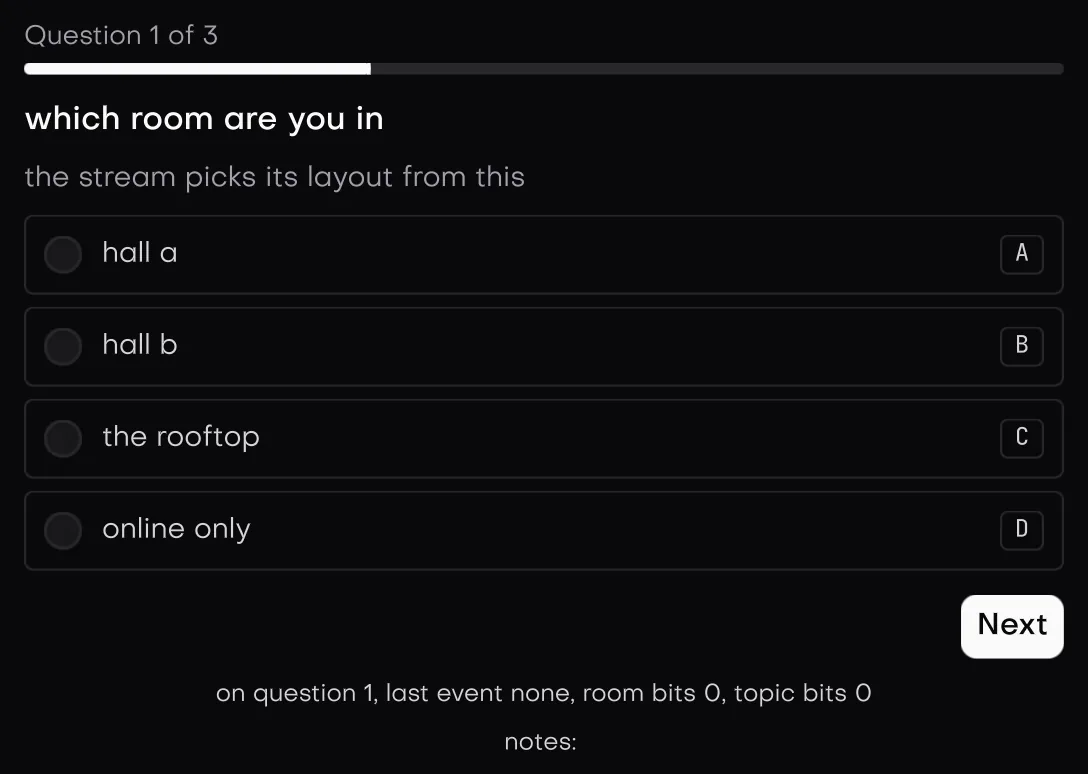
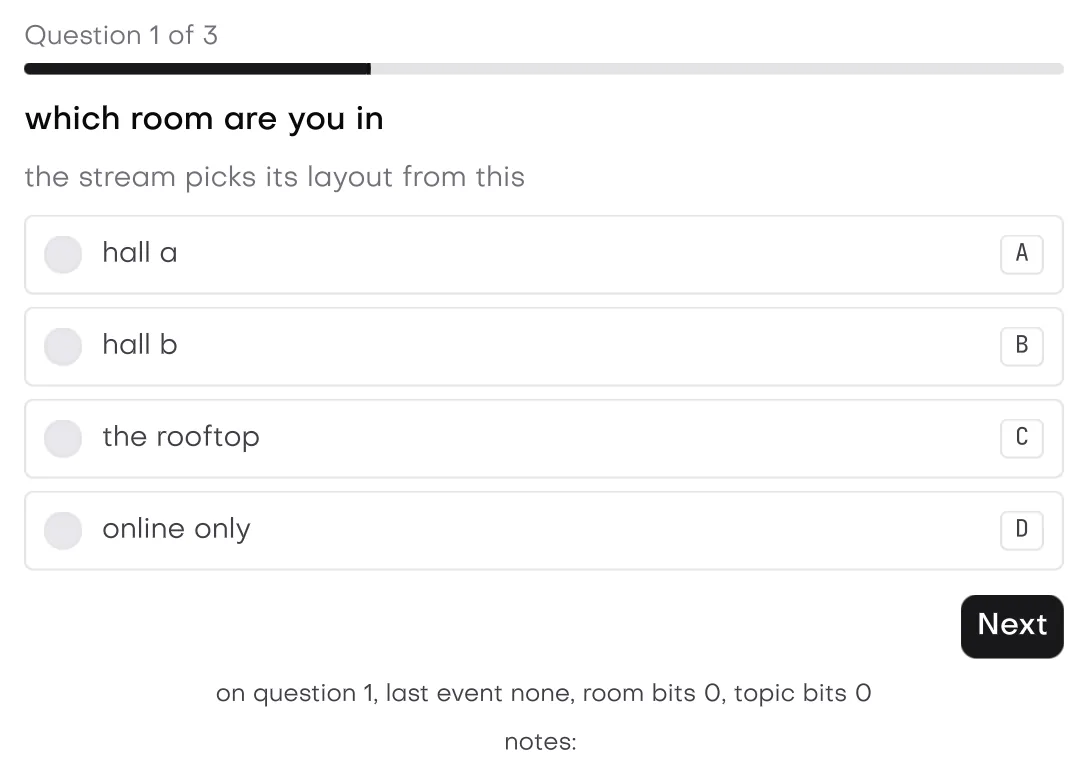
In the galleryQuestionnairequestionnaire
Signatures
| Call | Does |
|---|---|
questionnaire(u, label, spec) | Draws the active question and returns a question_event. |
questionnaire_active(u, label) | The active index kept in the store. |
questionnaire_reset(u, label, active = 0) | Clears the kept state and sets the kept active index. When the spec points active at your own index, set that yourself. The answers are the app's, so clear those too. |
question
| Field | Default | Meaning |
|---|---|---|
name | null | Keys the item, so ids stay stable per question. |
title, description | null | Wrapping text above the choices. |
choices, choice_count | null, 0 | Choice labels. At most 64 show, and more logs a warning. |
required | false | No Skip button, and Next needs an answer. |
multiple | false | Check boxes that toggle. Otherwise radio rows where a pick replaces the last. |
disabled | false | Left out of the steps, the count and the submit check. |
input, input_cap | null, 0 | The app's buffer for a typed answer. Both set adds a field. |
input_label | null | The field's label. Null uses "answer". |
answer
The app owns one answer per question and zeroes them before the first frame. The questionnaire writes into the one for the active item.
| Field | Meaning |
|---|---|
picked | Bit n is choice n. |
status | question_answered while a choice is picked or the field has text, question_skipped after Skip on an empty item, else question_unanswered. |
invalid | Set by the app, for instance when the typed text fails its own check. It blocks Next and Submit and shows the error line. |
questionnaire_spec
| Field | Default | Meaning |
|---|---|---|
items, answers, count | null, null, 0 | Parallel arrays. Any of them missing draws nothing. |
active | null | Point it at your own index to steer. Null keeps the index in the store under the label. |
keys | question_keys_none | question_keys_letters picks with a to z, question_keys_numbers with 1 to 9. Each choice shows its key. |
error | null | Replaces the default error text. |
The spec arrays are read during the call only. Nothing keeps a pointer to them, so they can move between frames.
Events
| question_event | When |
|---|---|
question_none | Nothing moved this frame. |
question_next | Next moved to the following enabled item. |
question_previous | Previous moved back. |
question_skip | Skip moved on. Skip on the last item acts as Submit. |
question_submit | Submit on the last item and every enabled item is valid. It logs. |
question_blocked | Next found the active item not valid, or Submit found a bad item and moved to the first one. The error line shows. |
An item is valid when invalid is false and it is answered, or it is optional and was skipped. So Next on an empty optional item blocks, and the default text says "Choose an answer or skip to continue". On a required item it says "Choose an answer to continue". The line clears once the item is answered.
#include "isolenui/ui/ui.h"
#include "isolenui/kit/kit.h"
static const char* const k_levels[] = { "New to it", "Some use", "Daily" };
static const char* const k_topics[] = { "Layout", "Text", "Charts", "Media" };
struct survey {
char note[256] = {};
ui::question items[3];
ui::answer answers[3] = {};
};
static void setup(survey* s)
{
s->items[0].name = "level";
s->items[0].title = "How well do you know the engine";
s->items[0].choices = k_levels;
s->items[0].choice_count = 3;
s->items[0].required = true;
s->items[1].name = "topics";
s->items[1].title = "What should the next talk cover";
s->items[1].choices = k_topics;
s->items[1].choice_count = 4;
s->items[1].multiple = true;
s->items[2].name = "note";
s->items[2].title = "Anything else";
s->items[2].input = s->note;
s->items[2].input_cap = sizeof s->note;
s->items[2].input_label = "Note";
}
static void form(ui::ctx* u, survey* s)
{
ui::questionnaire_spec q = {};
q.items = s->items;
q.answers = s->answers;
q.count = 3;
q.keys = ui::question_keys_letters;
switch (ui::questionnaire(u, "survey", q)) {
case ui::question_submit:
// bit n of picked is choice n
break;
case ui::question_blocked:
// the error line is showing on the active item
break;
default:
break;
}
}Keys and focus
- A multiple item puts every choice in the tab order. A single item puts only the picked choice, or the first, in the tab order, like a radio group.
- On a choice, space picks or toggles it and enter acts as Next, or Submit on the last item. The arrows move between choices and wrap. On a single item they also pick.
- In the field, enter acts the same way.
- Shortcut keys only act while focus is inside the questionnaire and not in the field, so typing an answer never picks a choice.
- After a step, focus moves to the new item: its picked choice, else its first choice, else its field.
Layout and direction
From the top: "Question X of Y" with a progress bar, where both count only enabled items, then the title, the description, the choice rows, the field, the error line, and a button strip. The strip holds Previous (not on the first item), a spacer, Skip (only when not required) and Next, which reads Submit on the last item. The strip and choice rows are flex rows, so they mirror in a right to left box. See direction. The key hints are always the Latin letters A to Z or the digits 1 to 9.
kit.conf lines. The questionnaire is built from the button, progress, field and glyph parts of the kit.